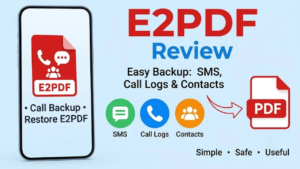
Backing up phone data is something many people ignore until they actually need it. Old SMS conversations, call history and contacts can be useful later, especially when switching phones, resetting a device or simply keeping an offline record.
E2PDF, developed by Day Dreamer LLC, takes a simple approach to this problem. The Android app lets you back up or export SMS, call logs and contacts, with PDF being one of its main export options. It can also create XML backups for supported data.
What Is E2PDF?
E2PDF is essentially a phone-data backup and export utility. Instead of keeping everything inside the app, you can turn selected information into files that can be saved and viewed later.
Its PDF support is particularly useful if you want a readable copy of a conversation, call history or contact list rather than a backup file that only makes sense inside a specific application.
The interface is fairly straightforward, with separate options for different types of phone data.
Why Use E2PDF?
There are plenty of situations where having another copy of your phone data can be useful. Your phone could be damaged, lost, reset or replaced, and information stored only on the device may then become difficult to recover.
E2PDF gives users a way to preserve selected records and move them somewhere safer. The app also supports saving or sharing generated files through options such as email and cloud storage.
Of course, saving a backup only on the same phone defeats much of the purpose. Important files should ideally be copied to another trusted location.
Main Features of E2PDF
SMS Backup and PDF Export
You can select SMS conversations and create a readable PDF copy. This can be handy for keeping old personal, business or other important conversations.
Call Log Backup
E2PDF can work with call history, including options for different types of calls and date ranges. Call logs can also be backed up in XML, while PDF export is available for creating a readable record.
Contact Export
The app can export contact information, including details such as names, numbers and email addresses. Google Contacts can also be exported to PDF using the app’s supported workflow.
PDF and XML Files
PDF makes the exported information easy to open on different devices, while XML can be useful when you want a more data-oriented backup format.
Call and SMS Statistics
E2PDF also offers statistics for calls and SMS, including information such as call activity and message counts over selected periods. Recent updates have also added richer analytics to supported PDF reports.
Easy Sharing
Once a backup is created, files can be saved locally or shared through email and supported cloud-storage services. This makes it easier to keep an additional copy away from the original phone.
Pros and Cons
Pros
- Simple approach to SMS, call and contact backups
- Supports PDF and XML exports
- Can create readable records of conversations and call history
- Contact export is supported
- Includes call and SMS statistics
- Files can be shared or moved to other storage
- Free to download, with ads and in-app purchases
Cons
- It is not a complete Android device backup
- The app requires access to sensitive phone information for its main functions
- Advertisements may be present
- Backup and restore options can vary by data type
- A PDF copy is mainly useful for reading or archiving, not restoring an entire phone
How to Use E2PDF
Start by installing E2PDF and opening it on your Android phone. Depending on the feature you want to use, the app will require access to information such as SMS, call logs or contacts.
Choose the relevant section, select the information you want to save and follow the export or backup option. For PDF exports, you can generally review the information before creating the final file.
Give the file a recognizable name and save it somewhere secure. For important records, it is better to keep another copy on a computer, external storage or a trusted cloud service.
Is E2PDF Worth Using?
E2PDF makes sense if your main requirement is creating readable copies of SMS, call logs or contacts without dealing with a complicated backup process.
It is not a replacement for a complete phone migration or full-device backup solution. Instead, think of it as a focused utility for preserving specific information in PDF or XML form.
For users who mainly want an easy way to archive old conversations, call records or contact details, that focused approach can be useful.
Install
Final Thoughts
E2PDF is a practical Android utility for anyone who wants a simple way to keep copies of important phone records. Its support for SMS, call logs, contacts and PDF exports makes it more useful than a basic screenshot-based approach.
Just remember that a PDF export is not a complete phone backup. If the data is important, keep the generated files in more than one safe location rather than relying on the original device alone.